Fan Hub
Know your best fans.
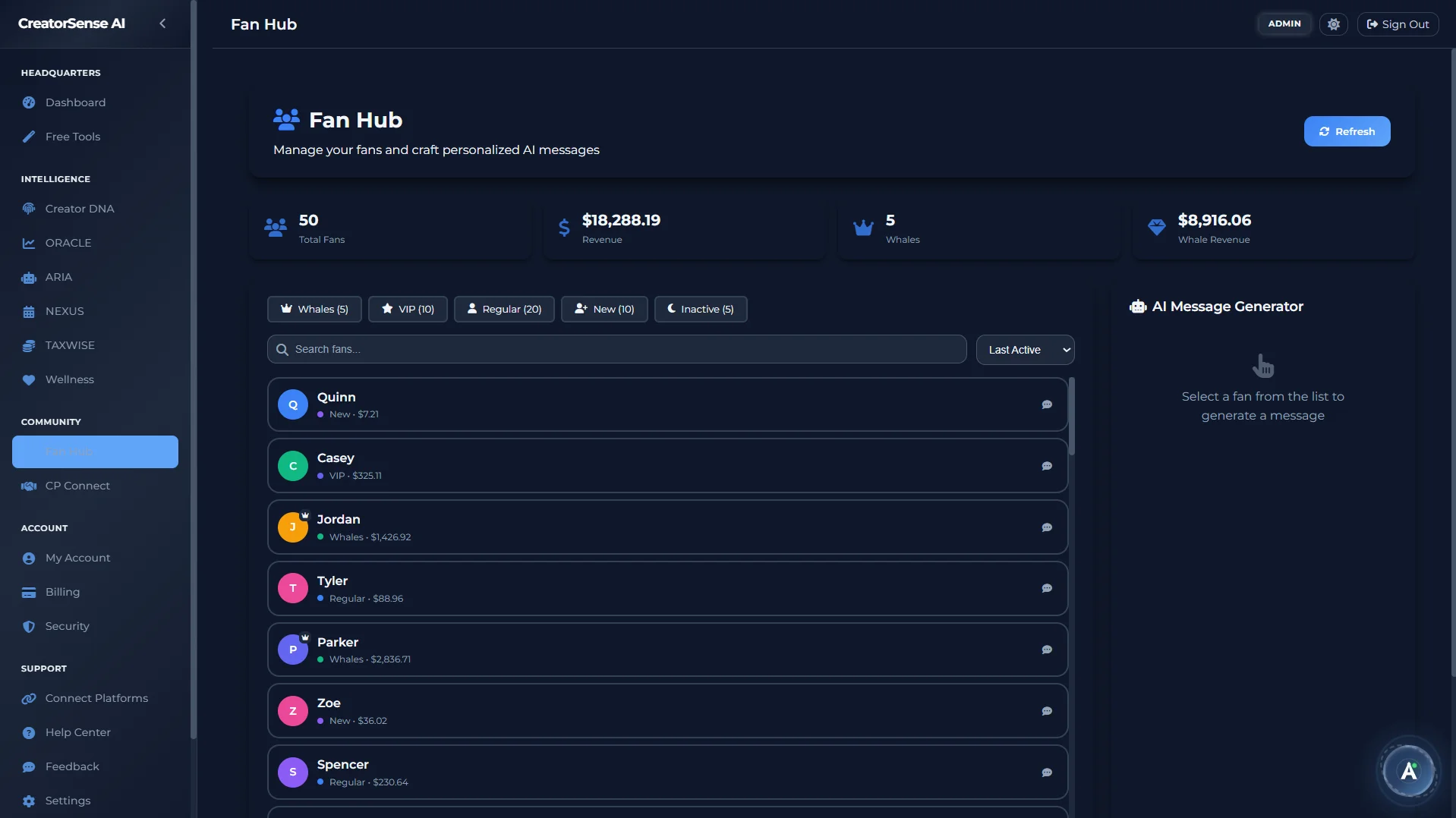
Most creators have no idea who their best fans are, when they're about to leave, or what to say to bring them back. Fan Hub fixes all three — with AI-personalised messages that use your fans' real names, spend history, and platform tenure.
Fans
Everything you need to manage your fans.
Overview, Fan List, and Engage — three views that cover the full picture of your fan relationships, from who your top spenders are to what to say to a fan who's gone quiet.
Overview
Fan SnapshotYour fan business at a glance: where your fans come from, how many are in each group, and live alerts for fans who need your attention. Example: "3 top spenders have gone quiet — $4,200 at risk." Each alert links directly to the Engage view.
Fan List
Search & FilterFind any fan instantly by name, platform, or how much they've spent. Sort by spend, fan score, or activity. Each profile has a Message button and a Win Back button right in the list — no digging required.
Engage
Smart MessagingA prioritised list of fans who need a message — fans about to leave, new fans who haven't been welcomed yet, or regular fans close to becoming VIPs. Select a fan, choose a message type, and get 3 message options written from their real history. Not generic templates — messages built around that specific person.
The right message, at the right moment.
Fan Hub's Engage view doesn't give you generic re-engagement scripts. It generates messages using that specific fan's real name, platform, spend history, and how long they've been subscribed. The difference between "Hey subscriber!" and a message that actually gets a reply is data — and Fan Hub has it.
Every fan ranked. Automatically.
Fan Hub scores every fan on every sync — no manual tagging or labelling needed.
Fan Score (0–100)
Your Most Valuable FansEvery fan gets a score from 0 to 100 based on how much they've spent, how often they buy content, how long they've been subscribed, and how recently they were active. Score 70+ = top-tier fan. 50–69 = VIP. Below 50 = regular fan.
Four Alert Types
Revenue ProtectionFans about to leave (with the revenue they represent) · Top fans who've gone quiet · New fans not yet welcomed · Regular fans getting close to VIP status. All pulled from live fan data — not set-and-forget rules.
Seven Fan Groups
Always Up to DateTop Spender · VIP · Regular · New · About to Leave · Inactive · Came Back. Every fan moves between groups automatically as their behaviour changes — always reflecting where they actually are right now.
Win Back. Welcome. Encourage an upgrade. — one click each.
When Fan Hub flags fans who need attention, it shows you exactly how many there are and what to do next:
- Win Back — reach out to fans who've gone quiet with a message written around their actual spend history and how long they've been with you
- Welcome — send a personalised first message to new fans you haven't acknowledged yet
- Encourage an upgrade — spot regular fans who are close to being a VIP and send them a targeted message to nudge them over the line
Every message is written in your style — not a generic template — using your creator profile to match your usual tone and approach.
Audience Demographics — know who your fans actually are.
Country breakdown, age distribution, and gender split — pulled automatically from every connected platform including OnlyFans, Fansly, Instagram, YouTube, and TikTok.
Multi-platform demographic intelligence, in one view.
Fan Hub's Audience tab aggregates demographic data across every connected platform. Whether your audience comes from Instagram, TikTok, or OnlyFans — you see the full picture in one place, not siloed per app.
- Top Countries — percentage breakdown of your audience by country across all platforms
- Age Distribution — 18–24, 25–34, 35–44, 45–54, 55+ age band breakdown
- Gender Split — male / female / other percentage breakdown per platform
- All platforms in one view — adult platforms like OnlyFans and Fansly combined with mainstream platforms for a complete picture
This matters for brand deals too. When a sponsor asks "who is your audience?", you have data — not a guess.
One fan. Multiple platforms. One profile.
Fan Hub merges cross-platform identities — the same person on OnlyFans and Fansly becomes one unified profile.
Stop losing your best fans without knowing why.
Join the beta and connect your fan platforms today.